
THE UNLIMITED USE OF GOOGLE FIREBASE STUDIO: The Ultimate Guide to Google Firebase
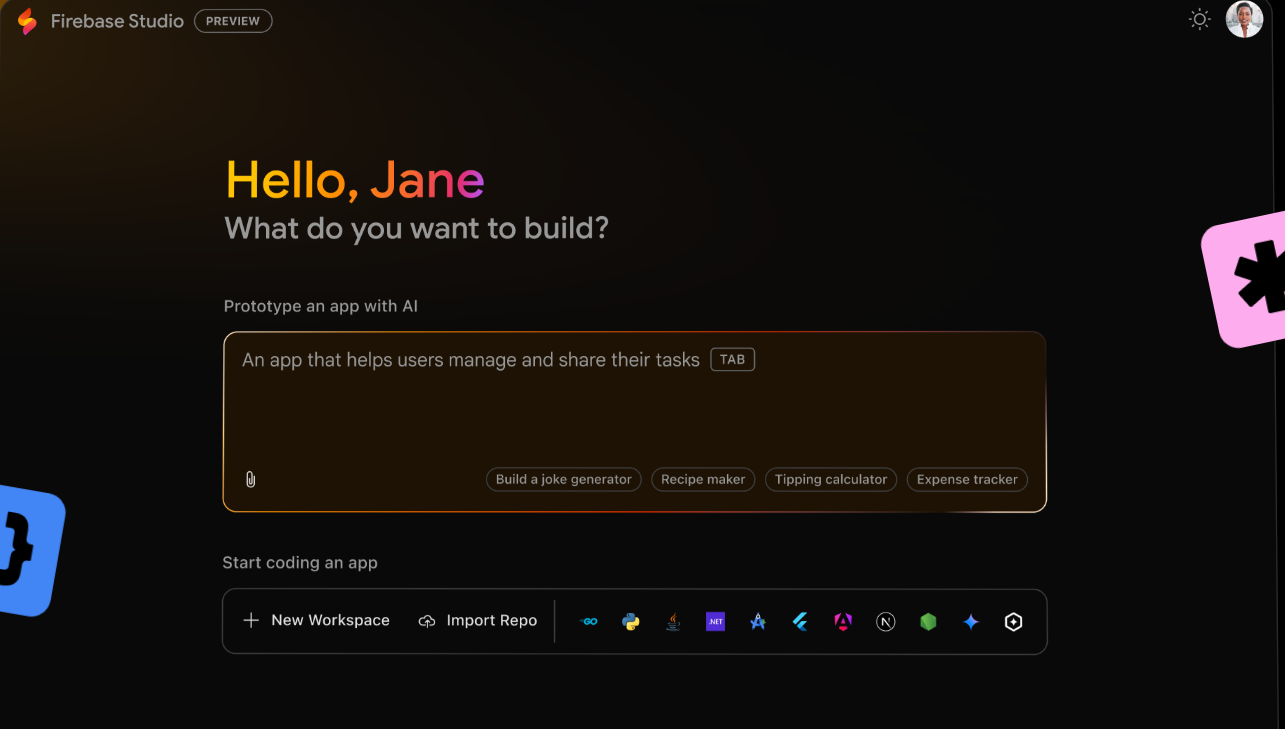
In today’s hyper-competitive digital landscape, building robust applications quickly is non-negotiable. Enter Google Firebase – the all-in-one development platform that’s transforming how developers create, scale, and manage apps. Whether you’re a solo indie developer or part of an enterprise team, Firebase eliminates infrastructure headaches so you can focus on what matters: your users.
Table of Contents
ToggleTABLE OF CONTENT
1. Introduction to Firebase
2. Key Features and Services
3. Benefits of Using Firebase
4. Getting Started with Firebase
5. Use Cases and Success Stories
7. Conclusion
Why Firebase? The Backend Revolution
Firebase began as a YC11 startup in 2011, acquired by Google in 2014, and has since evolved into a comprehensive suite of over 25 cloud-based services. It solves critical pain points:
No server management: Eliminate DevOps overhead.
Real-time capabilities: Sync data instantly across devices.
Scalability: Automatically handle traffic spikes.
Cross-platform: Native SDKs for iOS, Android, Web, Flutter, and Unity.
For startups to Fortune 500 companies (like Alibaba and Duolingo), Firebase accelerates development cycles by 70%+, according to Google case studies.
Core Firebase Services: Your Development Toolkit
1. Firebase Realtime Database & Firestore
Realtime DB: JSON-based NoSQL database ideal for simple, low-latency apps (e.g., chat apps).
Cloud Firestore: Scalable NoSQL document database with offline support, complex queries, and multi-region replication.
Use Case: Duolingo uses Firestore to sync user progress across 500M+ devices in real-time.
2. Firebase Authentication
Securely authenticate users via:
Email/password
Social (Google, Facebook, Twitter)
Phone numbers
Federated identity (SAML, OIDC)
Includes pre-built UI templates and integrates with Cloud Identity Platform for enterprise needs.
3. Cloud Functions
Serverless functions triggered by Firebase events (e.g., new user sign-ups, database updates). Write backend logic in JavaScript, Python, or Go without managing servers.
Example: Automatically resize user-uploaded images using Cloud Storage triggers.
4. Firebase Hosting
Global CDN-backed static hosting with SSL, one-click rollbacks, and custom domains. Deploy sites in seconds via CLI. Supports frameworks like React, Angular, and Next.js.
5. Firebase ML & AI Integrations
ML Kit: On-device APIs for text recognition, face detection, and barcode scanning.
Vertex AI: Access Google’s generative AI models (e.g., Gemini) for chatbots or content creation.
6. Performance Monitoring & Crashlytics
Crashlytics: Real-time crash reporting with stack traces and user impact analytics.
Performance Monitoring: Trace network requests, screen rendering, and app startup times.
7. Extensions
Pre-packaged solutions (e.g., Stripe payments, Translate text, Send emails) installable via Firebase Console.
Why Developers Love Firebase: The Unbeatable Benefits
Speed to Market: Launch MVPs in days, not months.
Cost Efficiency: Pay-as-you-go pricing (free tier included).
Scalability: Handles from 1 to 1 million+ users seamlessly.
Security: Built-in protections (e.g., App Check, IAM rules) and GDPR compliance.
Unified Experience: Manage all services in one dashboard.
Getting Started: Build a React App with Firebase in 15 Minutes
Project: A real-time task manager.
Step 1: Set Up
Create a Firebase project at console.firebase.google.com.
Install Firebase CLI:
bashCopyDownloadnpm install -g firebase-tools firebase login
Step 2: Initialize Firebase
In your React app:
bashCopyDownloadnpm install firebase
Create
firebase.js:javascriptCopyDownloadimport { initializeApp } from "firebase/app"; import { getFirestore } from "firebase/firestore"; const firebaseConfig = { apiKey: "YOUR_API_KEY", authDomain: "YOUR_AUTH_DOMAIN", projectId: "YOUR_PROJECT_ID", storageBucket: "YOUR_STORAGE_BUCKET", messagingSenderId: "YOUR_SENDER_ID", appId: "YOUR_APP_ID" }; const app = initializeApp(firebaseConfig); export const db = getFirestore(app);
Step 3: Add Real-Time Tasks
import { collection, addDoc, onSnapshot } from "firebase/firestore";

// Add task
const addTask = async (task) => {
  await addDoc(collection(db, "tasks"), { task });
};

// Listen for updates
onSnapshot(collection(db, "tasks"), (snapshot) => {
  snapshot.docs.map(doc => console.log(doc.data()));
});
Step 4: Deploy to Firebase Hosting
firebase init hosting
firebase deploy
Firebase Success Story
Alibaba: Scaled to 400M+ users using Firestore and Cloud Functions.
The New York Times: Cut latency by 80% with Firebase Hosting.
Halfbrick Studios (Fruit Ninja): Handled 10x traffic spikes during launches.
When Not to Use Firebase
While Firebase excels for most use cases, consider alternatives if:
You need complex SQL transactions (e.g., financial systems).
Your app requires deep custom infrastructure control.
Strict data residency requirements conflict with Google’s regions.
Future of Firebase
Google continues investing heavily in Firebase, with recent additions like:
Firebase Emulator Suite: Local testing for all services.
App Check: Block unauthorized traffic.
Extensions Marketplace: 150+ pre-built solutions.
How to unlimited usafe of firebase studio
Firebase Studio is a graphical interface for viewing and managing Firebase data, but it’s not a standalone product—it’s part of Firebase, Google’s Backend-as-a-Service (BaaS) platform. Firebase itself has usage limits based on your pricing plan (Spark [free], Blaze [pay-as-you-go], or enterprise plans).
Does Firebase Studio have unlimited usage?
No, Firebase Studio itself doesn’t have a “usage limit” in terms of how often you can open it or interact with it. However, your underlying Firebase project is subject to Firebase’s quotas and limits, which depend on your plan:
Free (Spark) Plan – Has strict limits on reads, writes, and storage.
Blaze Plan (Pay-as-you-go) – Scales with your usage, but you pay for what you use.
Enterprise Plan – Higher limits and custom pricing.
What affects Firebase Studio usage?
Database Reads/Writes – Every time you view or edit data in Firebase Studio, it counts against your Firebase quota.
Authentication & Storage – Managing users or files via Firebase Studio also consumes resources.
Simultaneous Connections – Firebase Realtime Database has connection limits (e.g., 100k concurrents on Blaze).
How to Maximize Usage?
Upgrade to Blaze Plan – Removes most hard limits (but you pay per usage).
Optimize Queries – Avoid unnecessary reads/writes.
Use Caching – If you’re building an app, implement caching to reduce Firebase calls.
Monitor Usage – Check the Firebase Console’s “Usage” tab to track quotas.
Conclusion
Google Firebase isn’t just a backend service—it’s a productivity multiplier. By abstracting infrastructure complexity, it empowers developers to build high-quality apps faster, cheaper, and smarter. Whether you’re prototyping a weekend project or scaling a unicorn startup, Firebase provides the tools to turn vision into reality.
Ready to ignite your development? Dive into the Firebase documentation and start building!
About the Author